
A third-party listing uploader gives agencies the ability to enter property information into the one portal that feeds across the different websites the agency advertises on.
This can be a great way to save time as it eliminates the need to manage listings manually on each property advertising website.
Uploaders we accept feeds from
Follow the steps below to see which uploaders we accept feeds from:
- Visit the Change my uploader form.
- Scroll down to "What will this uploader be used for?" and select Loading listing.
- Under the option "Which listings are you going to create with your new uploader?", select All listings.
- Open the dropdown menu under "Who is your new provider?" to view the uploaders that we accept feeds from.
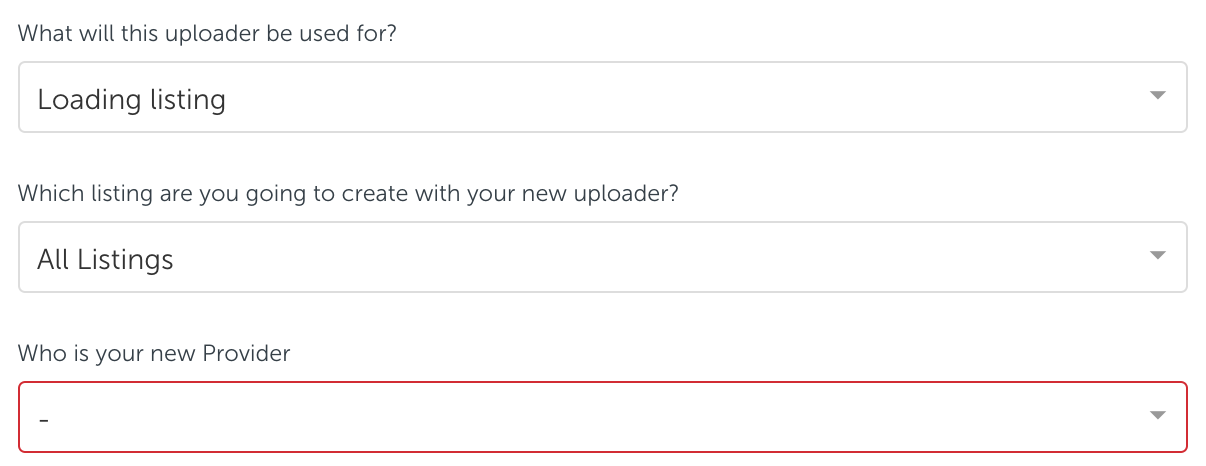
After reviewing this list, you can do some research to find which one is the best fit for you.
We understand that each business has its own set of unique needs, so we are unable to recommend a particular listing uploader; however, we have indicated some ways below to help you make the right choice.
Choosing an uploader
Here are some questions that you may want to ask a potential uploader:
- Are you able to push updates to the websites I advertise?
- Can you integrate with my CRM?
- What are the costs involved with using your services?
- How long does it take to complete the setup?
- What channels of support do you provide if I have a question or if I am experiencing a technical issue?
Setting up an uploader
For instructions on how to set up or change a listing uploader so they can start sending listing information to us, click here.
Comments
0 comments
Please sign in to leave a comment.